
The Radiologist’s Guide to Diagnostic Clinical Monitors: Why BARCO Leads the Pack
If you’re still reviewing scans on a consumer-grade monitor, you could be missing more than just pixels, you might be missing critical diagnostic details.

Diagnosing with Confidence Starts at the Screen
Imagine trying to spot a small lesion or microcalcification through a foggy window. You might see the general shape, but the subtle indicators that separate a good read from a missed diagnosis could slip right by. That’s the daily risk clinicians face when relying on non-diagnostic-grade monitors.
For radiologists, diagnostic monitors like those from BARCO are not just fancy displays. They are clinical tools designed specifically for precision, clarity, and consistency in medical imaging. In this article, we’ll explore what makes a monitor truly diagnostic-grade, why BARCO has become a trusted name in radiology, and what features clinicians should look for when choosing a display for accurate interpretation.
1. Monitor Resolution Is a Game-Changer in Radiology
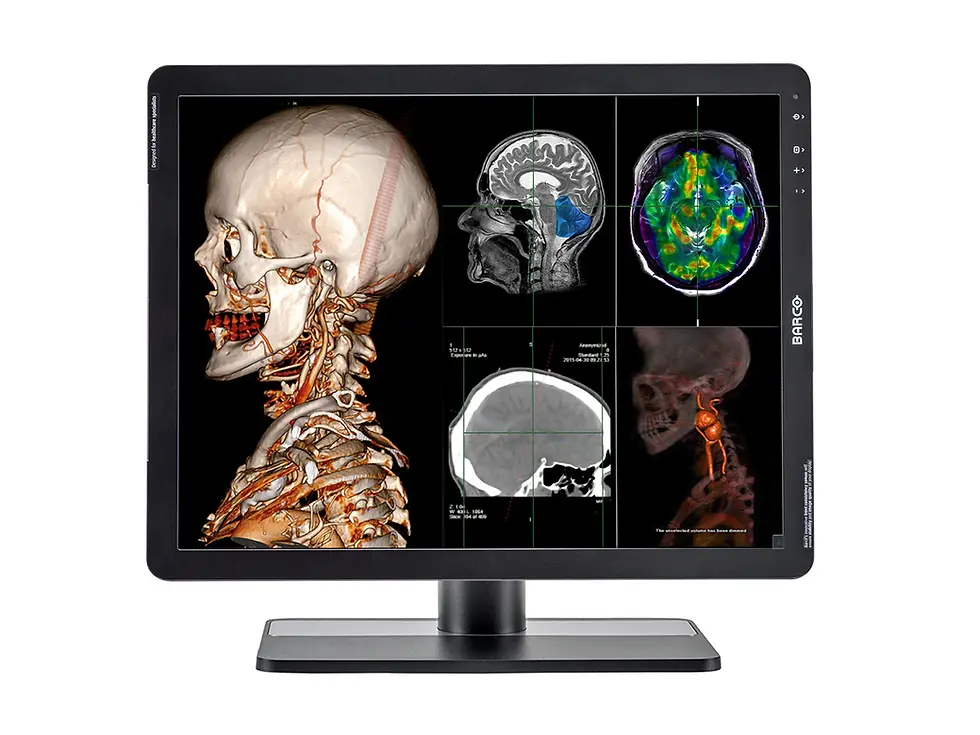
Subtle lesions and small calcifications don’t shout. They whisper. High-resolution monitors help you hear them clearly.
BARCO’s diagnostic monitors are available in resolutions ranging from 5 megapixels to 12 megapixels. This level of detail is essential for modalities like mammography, chest imaging, and cross-sectional studies where the tiniest structure can change a diagnosis.
A study published in Radiology showed that 5MP monitors improved breast cancer detection rates by 28 percent compared to lower-resolution displays.
As Dr. Elaine Hu, Breast Imaging Specialist at Stanford Health, puts it: “Radiologic interpretation is only as good as the monitor allows.”
Tip: For mammography, choose a 5MP or higher monitor. For general radiology, 3MP is the minimum to ensure reliable image review.
2. Brightness and DICOM Calibration Directly Affect Accuracy

A dim screen is more than annoying. It’s a liability in diagnostic interpretation.
BARCO displays are designed with high luminance, often up to 1000 cd/m², which helps radiologists identify fine details in grayscale images. Just as important is DICOM Part 14 calibration, which ensures that grayscale tones are displayed correctly across the entire luminance range.
A 2022 study in the Journal of Digital Imaging found that high-luminance monitors reduced detection errors by up to 35 percent.
“Luminance consistency is the silent partner in diagnostic accuracy,” says Dr. Marcus Lang, Thoracic Radiologist at Mayo Clinic.
Tip: Always choose a monitor with built-in sensors that automatically maintain brightness and DICOM compliance.
3. Color Accuracy Matters More Than You Think

Diagnostic imaging isn’t all black and white. Sometimes, color makes the call.
In modalities like Doppler ultrasound, PET-CT, or nuclear medicine, accurate color reproduction is critical. BARCO monitors support 10-bit color depth and wide color gamuts, allowing clinicians to see more than 1 billion colors with precise accuracy.
A recent ECR study reported that color mismatch led to misinterpretation in 15 percent of Doppler ultrasound assessments.
“Color accuracy in radiology monitors matters more than people think, especially in vascular and hybrid imaging,” says Dr. Shilpa Desai, Nuclear Medicine Consultant at University Hospitals Birmingham.
Tip: For any imaging that involves color, such as PET, Doppler, or fusion scans, choose a color-calibrated monitor with true 10-bit rendering.
4. Built-In QA and Calibration Keep You Confident Over Time
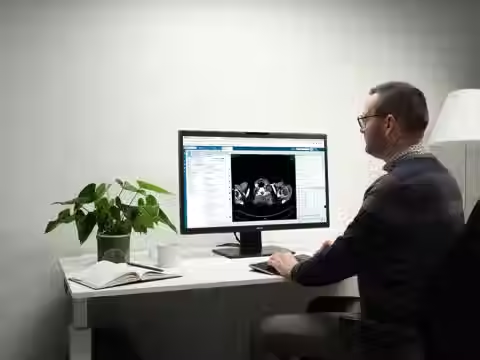
If your monitor gradually drifts out of spec, would you even notice before it’s too late?
BARCO monitors include MediCal QAWeb, an automated quality assurance platform that continuously checks performance and calibrates in real time. This ensures DICOM compliance and consistent image quality throughout the lifespan of the device.
Hospitals using automated QA reported 90 percent fewer monitor-related disruptions according to a BARCO multi-site case study.
“Remote QA keeps our radiology team confident that every screen is telling the truth,” says David Greer, Imaging Systems IT Lead at Radiology Imaging Network UK.
Tip: Set up centralized QA monitoring if your department runs multiple workstations. It will save you time and prevent compliance headaches.
5. Ergonomics and Eye Health Impact Performance
Fatigue doesn’t just slow you down. It increases the risk of diagnostic error.
Radiologists spend hours reading studies, and monitor ergonomics directly affect comfort and concentration. BARCO displays include anti-glare coatings, ambient light sensors, and adjustable stands to reduce visual fatigue and support better posture.
According to Health Imaging, radiologists using ergonomic workstations report 30 percent less eye strain and greater accuracy during extended shifts.
“When you’re working 10-hour days, monitor comfort becomes clinical,” says Dr. Amanda Russo, Neuro-Radiologist at Cleveland Clinic.
Tip: Choose a diagnostic monitor with height adjustment, tilt, and ambient light sensors to maintain both performance and comfort.
6. Certification and Compliance Are Non-Negotiable
All it takes is one non-compliant monitor to put your entire department at risk during an audit.
BARCO’s displays meet FDA 510(k), CE marking, and DICOM Part 14 standards. Using uncertified monitors in diagnostic environments can lead to failed audits, legal issues, or lost reimbursements.
A failed QA inspection due to an uncertified display can cost your facility thousands in penalties and operational setbacks.
“No matter how good your radiologists are, they’re only as compliant as the tools they use,” says Sandra Ko, Medical Imaging Auditor with TJC.
Tip: Never rely on standard office monitors for primary diagnosis. Always confirm the display is certified for clinical use.
Conclusion: The Monitor You Choose Shapes Every Diagnosis You Make
Radiology is all about seeing clearly and acting decisively. Your diagnostic monitor plays a central role in that process. BARCO monitors stand out by combining sharp resolution, consistent brightness, precise color rendering, and compliance with international medical standards.
Whether you’re interpreting a high-res mammogram, analyzing a PET-CT, or navigating back-to-back shifts in the reading room, your monitor shouldn’t just display the image. It should support the decision.
As Dr. Jacob Lindholm, Interventional Radiologist at Oslo University Hospital, says, “The future of radiology lies not just in AI or advanced imaging, but in clear, consistent visualization. And that starts at the monitor.”
Need help choosing the best diagnostic monitor for your radiology department? Contact us today


While reading through some academic forums, I noticed how often beginners struggle with structuring and referencing at the same time. In one discussion, Assignment Help for University Students was mentioned in the middle of explaining how people approach difficult coursework differently. I can relate to that because sometimes the ideas make sense but when I try to put them into proper academic form, everything feels slightly harder. Things like forgetting citations, mixing up referencing styles, or misunderstanding word count expectations can really slow progress. Academic writing is structured in a way that rewards precision, but that also means mistakes are very visible and sometimes hard to track. I think what helps most is practicing short pieces repeatedly instead of jumping…
Reading the article about diagnostic clinical monitors really shows how important high-quality screens are for radiologists to see every small detail clearly and make accurate decisions in medical imaging. It explains how precision, calibration, and clarity directly affect diagnosis quality. I remember once struggling with complex coding tasks during exams, so I used python assignment help uk to manage deadlines better. It taught me that the right tools improve both learning efficiency and confidence.